
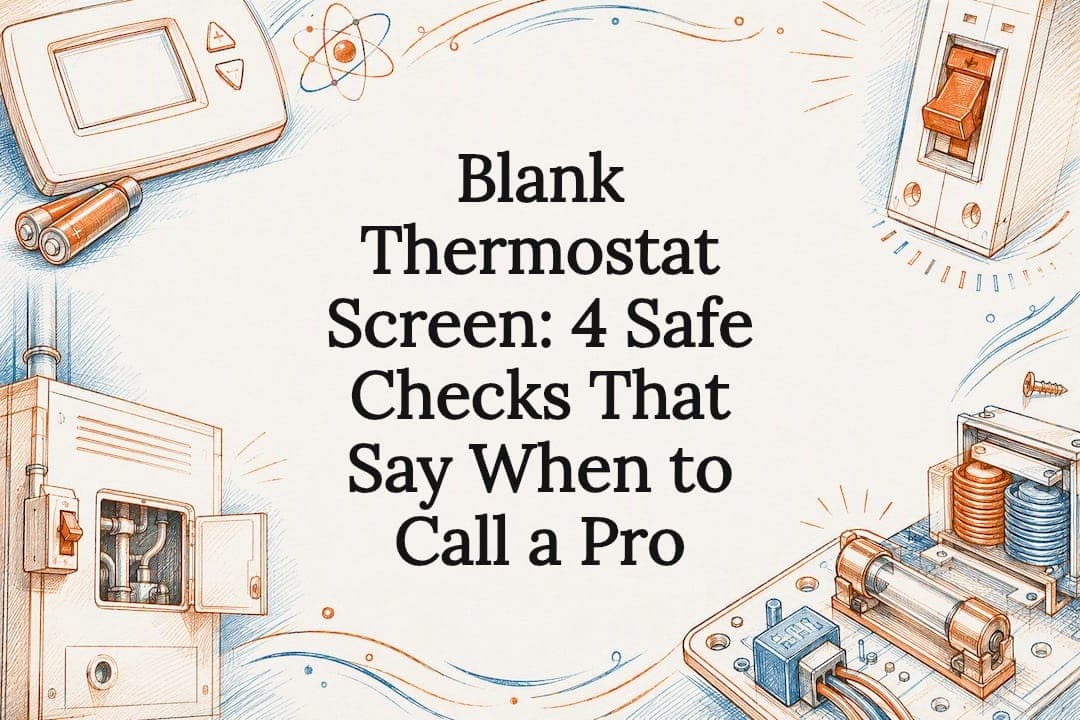
A blank thermostat screen almost always means the unit lost power, usually from dead batteries, a tripped breaker, or missing 24VAC from the transformer. Swap the batteries if it has any, check the HVAC breaker and equipment power switch, and make sure the furnace door is fully closed. If the screen still stays dark after that, you're likely looking at a blown fuse, a failed transformer, or a wiring problem, and that's where it's time to call a technician.
TL;DR:
- Most thermostat blank screens are caused by power loss from dead batteries, a tripped circuit breaker, or a missing or failed transformer, not hardware failure.
- Replacing blown control board fuses or testing the transformer requires professional tools and expertise, especially if fuses blow repeatedly or circuit breakers trip again soon after reset.
- Smart thermostats often need a C-wire or time to recharge internal batteries after power interruptions, which can cause temporary blank screens.
- If safe homeowner steps do not restore power, or there are signs of wiring damage, burning smell, or water in the condensate pan, contacting a licensed HVAC technician is necessary.
Table of Contents
- The One-Minute Thermostat Blank Screen Checklist
- Homeowner-Safe Steps to Fix a Blank Thermostat Screen
- What Control Board Fuses and Transformers Have to Do With It
- Why Smart Thermostat Displays Go Blank Differently
- What Not to Do When the Screen Stays Dark
- When to Call a Licensed HVAC Technician
- Who's Behind This Troubleshooting Guide
- The Real Fix Is Knowing Where to Stop
- Get Your Thermostat Power Diagnosed the Right Way
- Where to Check Model-Specific Thermostat Guidance
- Sources
- FAQ
The One-Minute Thermostat Blank Screen Checklist
Before you assume the worst, run through this list in order. Most blank-screen calls to HVAC companies get resolved by one of these four steps, often in under ten minutes.
- Swap the batteries. If your thermostat uses AA or AAA cells, pop the faceplate off and replace them, even if the old ones seem fine. Reseat the thermostat on its base afterward.
- Reset the breaker and check the equipment switch. Find the breaker labeled for your furnace, air handler, or AC condenser, flip it off, wait about 30 seconds, then flip it back on. Confirm the power switch on the furnace or air handler itself is set to ON.
- Close the furnace or air handler access panel completely. Most systems have a door safety switch that cuts power the moment the panel isn't seated right.
- Wake the display. Tap the screen or press a button. If it lights up, try adjusting the temperature to confirm the system actually responds. If nothing happens, move on to the deeper checks below.
Homeowner-Safe Steps to Fix a Blank Thermostat Screen
Once the one-minute checklist doesn't solve it, you're still well within safe DIY territory for a few more checks. None of these require opening electrical panels or touching bare wires.
Pull the faceplate and inspect the batteries. Most residential thermostats snap off the wall plate easily by hand. Check that batteries are seated with the correct polarity. A battery installed backward will often look fine but deliver no power at all. If your thermostat runs on batteries, replace them annually even before they die, since intermittent blank screens are frequently just weak cells that haven't fully failed yet.
Reset the correct breaker, not just any breaker. HVAC systems often run on a dedicated breaker separate from your general household panel. Furnaces and air handlers may even have two: one for the blower and one for the low-voltage transformer circuit. Flip it off, count to 30, then flip it back on. Resist the urge to flip it on and off repeatedly. Repeated resets without finding the underlying cause can mask a wiring short that gets worse each time.
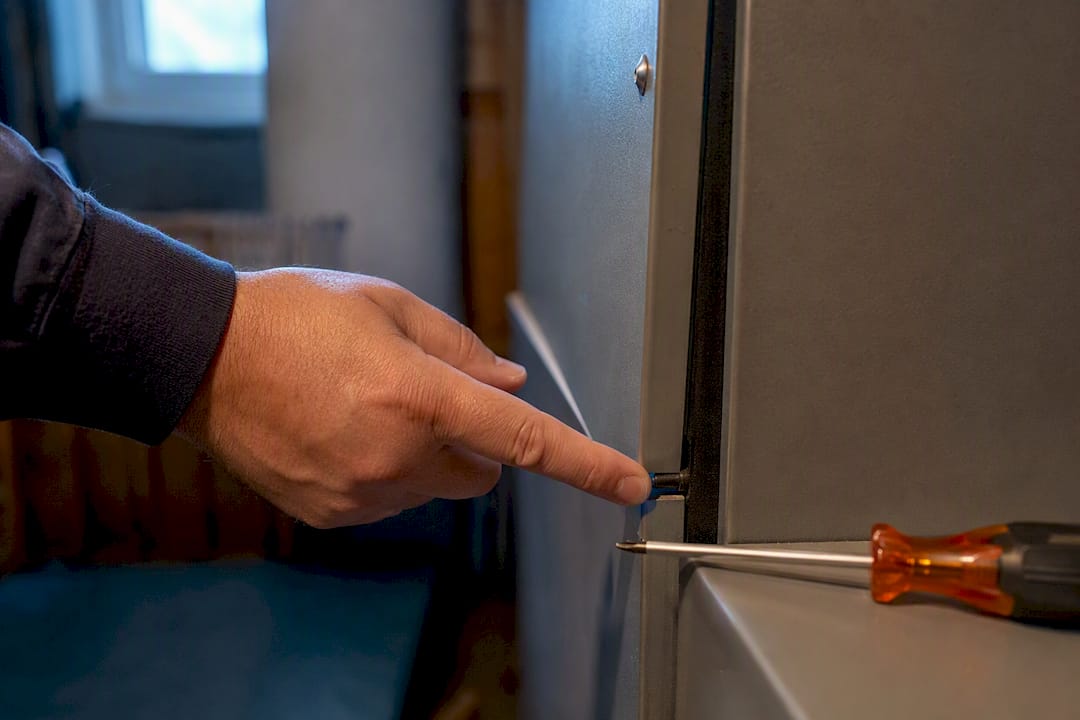
Check the furnace door safety switch. Nearly every gas furnace and air handler has a small plunger switch triggered by the access panel. If the panel is even slightly ajar or was reinstalled crooked after a filter change, that switch cuts 24VAC power to the thermostat entirely. Push the panel firmly until it clicks or seats flush.
Look at the condensate drain pan. During cooling season, a full condensate pan or a tripped float switch will cut control power as a safety measure to prevent water damage, and this is one of the most common summer culprits behind a suddenly blank screen. Check the pan under your air handler or furnace for standing water and clear the drain line if you see any.
Replace the air filter while you're in there. A clogged filter won't directly blank the screen, but it can trigger safety shutdowns on some systems and is worth ruling out.
- Faceplate battery check with polarity confirmation
- Correct breaker reset (30-second off cycle, not repeated flipping)
- Furnace/air handler door fully seated on its safety switch
- Condensate pan and drain line clear of standing water
- Air filter inspected and replaced if dirty
Pro Tip: Keep your thermostat's model number and a photo of the wiring terminals on your phone before you start. If you do end up calling a technician, that information cuts diagnostic time significantly.
Stop here if you notice wiring that looks frayed, discolored, or brittle near the thermostat base or the furnace control board. That's not a homeowner repair. Inspecting wire condition is fine; touching or reconnecting damaged wire is not.
What Control Board Fuses and Transformers Have to Do With It
If batteries, breakers, and the furnace door all check out, the problem has likely moved from something you can fix by hand to something inside the equipment itself.
Most furnaces and air handlers have a small 3A or 5A fuse on the control board, usually a thin glass or blade fuse near the transformer. This fuse protects the 24VAC circuit that powers your thermostat. When it blows, the thermostat goes completely dark because it's simply not receiving power, even though the rest of the furnace may run fine. A blown fuse by itself is a quick fix, but a fuse that blows again right after replacement points to a short somewhere else in the low-voltage wiring, and that's a sign to stop and call someone.
The transformer is the next suspect. It steps down household voltage to the 24VAC that thermostats run on, feeding the R and C terminals. A failing transformer can deliver weak or inconsistent voltage, which shows up as a thermostat that flickers on and off or stays permanently blank. Testing transformer output requires a multimeter and knowing which terminals to check safely, which is a job for someone trained to do it.
Watch for these red flags that point to a system-level issue rather than a simple homeowner fix:
- The breaker trips again shortly after you reset it
- A replaced fuse blows again within minutes or hours
- You notice a burning smell near the furnace cabinet
- Wiring at the control board looks melted, cracked, or discolored
Manufacturer support documentation for brands like Trane consistently lists blown fuses, tripped safety switches, and transformer faults as the top causes requiring a technician visit rather than a homeowner fix.
Why Smart Thermostat Displays Go Blank Differently
Smart thermostats add a few failure points that older mechanical ones never had, and most of them are software or wiring related rather than mechanical.
Many smart models need a dedicated C-wire for a steady 24VAC feed. Without one, the thermostat may run on an internal battery that drains and blanks the screen periodically, or it borrows tiny amounts of power in ways that cause flickering rather than a clean shutdown. If your system was wired for an older analog thermostat, a missing C-wire is a common reason a new smart unit blanks out even when everything else looks fine.
Some smart thermostats also use rechargeable internal batteries instead of the C-wire alone. After a power interruption, these can take a while to recharge before the display wakes up again, so don't assume failure if the screen stays dark for the first hour after a breaker reset.
Try these steps before assuming hardware failure:
- Power-cycle the thermostat through the breaker, then wait at least 30 to 60 minutes for internal batteries to recharge
- Check the companion app for brightness or "wake on approach" settings that may have been changed accidentally
- Confirm the app shows the thermostat as online; if it shows offline but the screen is blank, that points to a stuck firmware update
- If a firmware update seems stuck, a full power cycle usually clears it
What Not to Do When the Screen Stays Dark
A blank thermostat is rarely dangerous by itself, but a few common homeowner instincts can turn a simple fix into a real hazard.
- Never touch bare or exposed wiring at the thermostat or furnace control board; low-voltage doesn't mean zero-risk when it's tangled with line-voltage components nearby
- Never bypass a condensate float switch or furnace door safety switch to "get it running"; those switches exist to stop flooding and carbon monoxide exposure
- Stop resetting the breaker if it trips more than once; repeated resets on a tripping circuit can damage components or start a fire
- If you smell anything burning or see heat damage near the furnace, cut power at the main panel and call a technician immediately, don't experiment further
Pro Tip: If you're ever unsure whether a switch is a safety feature or just a loose panel, treat it as a safety feature. Furnace manufacturers don't add extra switches for fun.
When to Call a Licensed HVAC Technician
Some situations call for a professional the moment you spot them, no troubleshooting required. Others only become clear after you've worked through the homeowner-safe steps.
- The screen is still blank after fresh batteries and one proper breaker reset. At that point, you've ruled out the two most common causes, and the problem is likely inside the equipment.
- The breaker trips repeatedly, or a replaced fuse blows again quickly. This almost always means a short or a failing component, not a fluke.
- You see standing water in the condensate pan or damaged wiring. Both point to issues that need proper tools and training to fix safely.
- There's any burning smell or visible heat damage. Cut power and call immediately; don't wait for a scheduled appointment.
When a technician arrives, expect them to test voltage at the R and C terminals, check the control-board fuse and transformer output, trace wiring for continuity, and run a full diagnostic on the control board itself. You can speed up that visit by documenting what you've already tried: photos of the wiring, the thermostat model number, when the screen first went blank, and anything that changed recently, like a filter swap or a storm.
Who's Behind This Troubleshooting Guide
This guide draws on field diagnostics from Encode Corporation, a Billings, Montana HVAC and controls provider with over 40 years handling exactly these calls. Encode technicians routinely diagnose and replace failed transformers and control-board fuses, repair damaged low-voltage wiring, and swap out thermostats that have failed internally rather than just lost power temporarily.
Before your service visit, gather photos of the thermostat and any visible wiring, note your model number, and write down when the screen first went dark and what changed around that time. That short list saves real diagnostic time.
The Real Fix Is Knowing Where to Stop
Most blank-screen calls get overcomplicated by homeowners who either give up too early or push too far. The batteries-breaker-door sequence solves the majority of cases, and skipping straight to "call someone" for a dead battery wastes a service fee on a two-minute fix. But the flip side is just as common: people jiggling wires at the control board or resetting a tripping breaker five times in a row because the display coming back on feels like success, when it's actually a warning sign getting ignored.
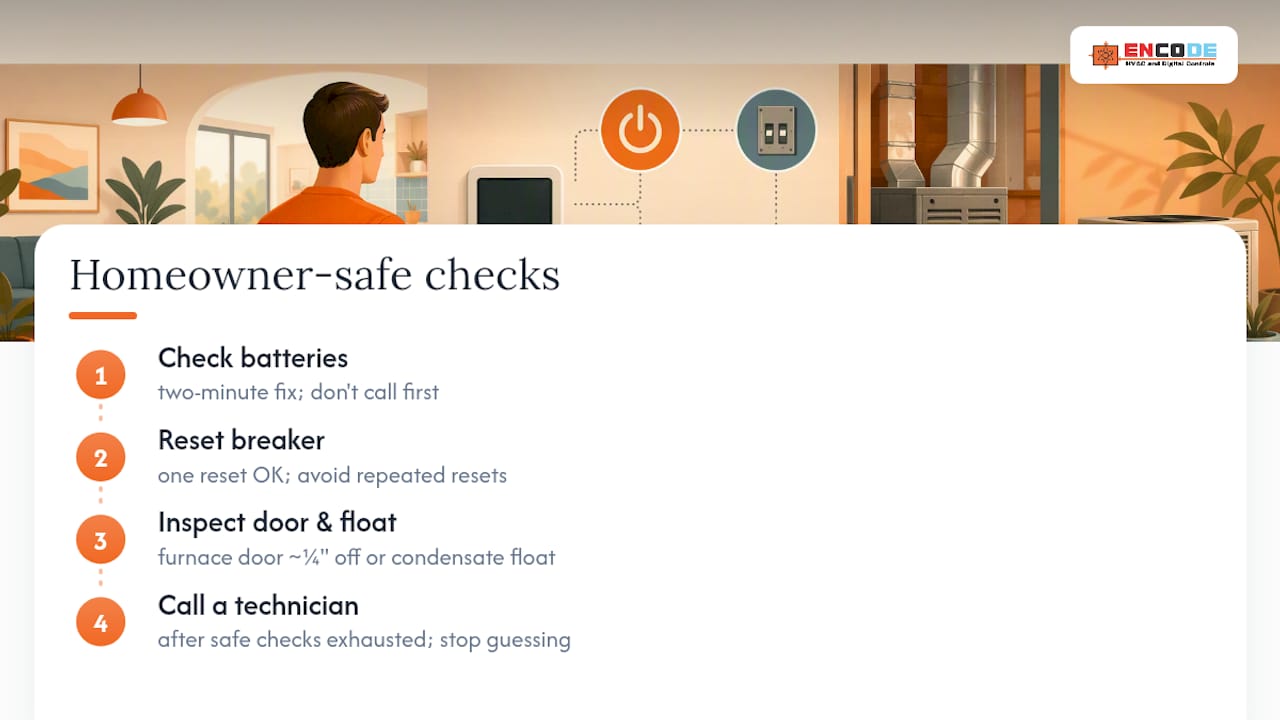
The conventional advice to "just check your batteries" undersells how often the real cause is a condensate float switch or a furnace door that's a quarter-inch out of place. Those two get skipped constantly because they don't feel like electrical problems. If your homeowner-safe checks turn up nothing, don't keep guessing. A transformer or control board fault doesn't get better with time, and a wiring short definitely doesn't fix itself between visits.
The single best thing a reader can do is treat the "call a technician" line not as a failure, but as the correct next step once the safe checks are exhausted.
— Daniel
Get Your Thermostat Power Diagnosed the Right Way
If your thermostat is still blank after working through batteries, the breaker, and the furnace door, the issue is inside the equipment, and that's exactly where Encode Corporation's controls diagnostics earn their keep. Instead of guessing at a transformer or fuse replacement, Encode's technicians test voltage directly at the thermostat wiring and control board to confirm the actual fault before touching anything.

Encode Corporation offers same-day diagnostics for control-power issues across residential and commercial systems in the Billings area, along with full HVAC controls service for transformer, fuse, and wiring repairs. If you've spotted standing water in the condensate pan, damaged wiring, or a burning smell, skip the remaining checks and request service immediately. Homeowners dealing with a dead unit beyond thermostat power can also start with residential HVAC service for a full diagnostic visit. When you book, include photos of the thermostat, the wiring, and any recent changes to your system. It helps the technician arrive ready to fix it on the first visit instead of a second one.
Where to Check Model-Specific Thermostat Guidance
For issues tied to a specific brand or model, these sources go deeper than general troubleshooting:
- Honeywell's model-specific blank-screen guide covers why battery-only models and C-wire models need different fixes.
- Empire Plumbing & AC's troubleshooting guide offers another contractor perspective on fast fixes worth trying first.
Sources
- The Amazon Smart Thermostat Display Is Blank - Amazon Customer Service
- My Thermostat is Blank/Has a White or Black Screen - Trane Home Support
FAQ
Why Is My Thermostat Not Showing a Display?
It has almost certainly lost power, whether from dead batteries, a tripped breaker, a blown control-board fuse, or a tripped condensate float switch that cuts 24VAC as a safety measure.
Why Is the Screen Off on My Thermostat?
If it's a programmable or smart model, check first whether it simply went idle or dim to save energy, since some thermostats reduce display activity when not actively adjusted. If it stays dark after you tap it, treat it as a power issue.
What Would Make a Thermostat Go Blank?
The leading causes are dead batteries, a tripped HVAC breaker, an open furnace door safety switch, a blown low-voltage fuse, or a failed transformer, roughly in order of how often each one turns out to be the culprit.
Why Is My Honeywell Thermostat Screen Blank?
It depends on the model: some Honeywell units like the T1 or T4 series run on AA batteries, while others like the T6 Pro require a C-wire for continuous power, so check your specific model before assuming a battery fix will work.
Can a Blank Thermostat Screen Fix Itself?
Sometimes. Smart thermostats with rechargeable internal batteries can take up to an hour to wake up again after a power interruption, so give it time before assuming it's broken.
When Should I Call Encode Corporation Instead of Troubleshooting Further?
Call for service if the screen stays blank after batteries and a single proper breaker reset, or immediately if you notice a burning smell, damaged wiring, or standing water near the equipment.